Waking up the robots...
Fetching your gear.

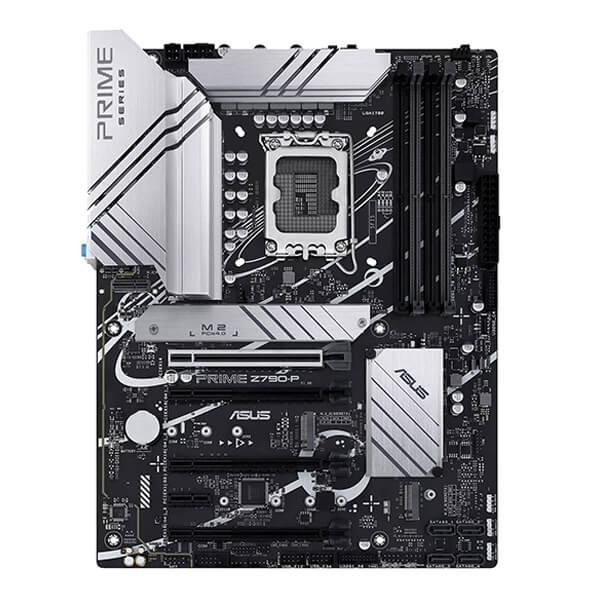
SKU: PRIME-Z790-P-CSM
users viewing this item right now
ASUS Intelligent Control makes your PC smart. Along with taking care of complex tuning and dynamically optimizing essential aspects of your system, it offers intelligently simplified options for newcomers to PC DIY, as well as more comprehensive features for seasoned veteran\
AI Cooling II balances the thermals and acoustics of any build with a single click. A proprietary ASUS algorithm slashes unnecessary noise while running a quick stress test, and then it monitors CPU temperatures to dynamically adjust fans to optimal speeds.
The renowned ASUS UEFI BIOS provides everything you need to configure, tweak and tune your system. It offers intelligently simplified options for PC DIY beginners, as well as comprehensive features for seasoned veterans.
An intuitive Advanced mode offered via the UEFI lets you take complete control. A built-in search feature makes it easy to find options, and various advanced functions let you intelligently make nuanced adjustments so you can dial in performance just the way you want.
EZ mode displays vital settings and stats and also offers guided wizards, drag-and-drop functionality, and one-click application of important settings — all to help you get your rig up and running in no time.
PRIME Z790-P-CSM motherboard is engineered with multiple onboard heatsinks and an array of hybrid fan headers to ensure your rig stays cool and stable under intense workloads.
The flexible M.2 heatsink with removable captive screws can take care of the M.2_1 or M.2_3 slot, warding off throttling that can occur with M.2 storage during sustained transfers.
The extensive surface area of the massive heatsinks cover the VRMs and chokes to improve heat dissipation. Together with specially engineered thermal pads, they improve heat transfer from the MOSFETs and chokes for better cooling performance.
PRIME Z790-P-CSM features comprehensive cooling controls that are configurable via Fan Xpert 4 software or via the UEFI BIOS.
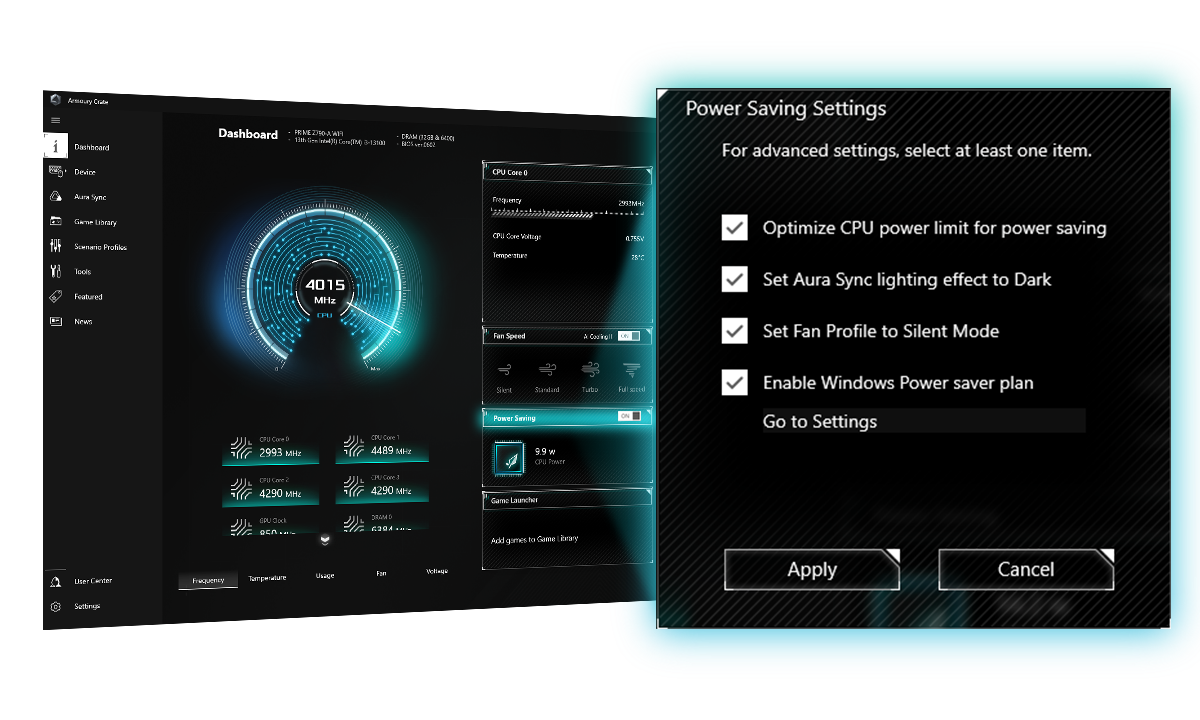
The Power Saving function contains several settings can easily optimize power consumption and maximize energy savings. You can enable a CPU power limit, darken Aura lighting, and set the fan profile to a power saving mode. You can also toggle the Power Saver plan that is built into Microsoft Windows.
No reviews yet for this product.
No questions have been answered yet.
You might also love these hardware gear upgrades
Waking up the robots...
Fetching your gear.