Waking up the robots...
Fetching your gear.

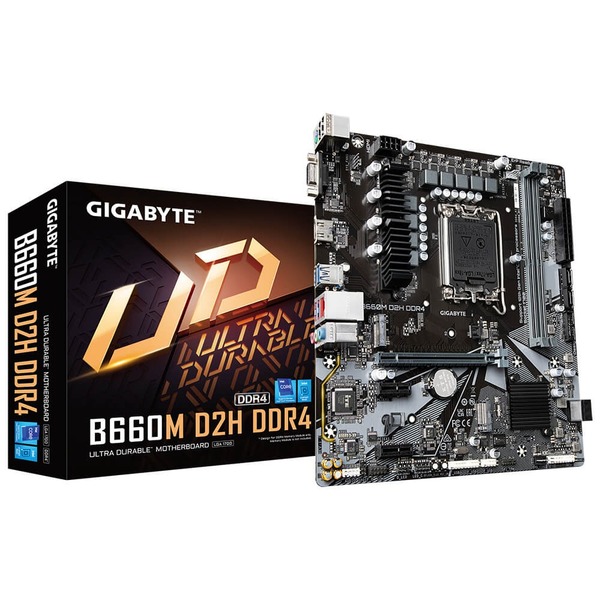
SKU: B660M-D2H-DDR4
users viewing this item right now

GIGABYTE B660M D2H DDR4 motherboard is offering a tested and proven platform that ensures proper compatibility with profiles up to 5333MHz and beyond. All users need to do to attain this performance boost is to ensure that their memory module is XMP capable and that the XMP function is activated and enabled on their GIGABYTE motherboard.
GIGABYTE B660M D2H DDR4 HDMI 2.0, which is backwards compatible with HDMI 1.4, offers 18 Gb/s of bandwidth – nearly twice that of the previous generation. This unlocks the potential for users to transfer multiple video streams, as well as a native cinematic 21:9 ratio (which most movies are shot in), offering the best visual experience for viewers.
GIGABYTE B660M D2H DDR4 motherboards use high-end audio capacitors. These high quality capacitors help deliver high resolution and high fidelity audio to provide the most realistic sound effects for gamers.
GIGABYTE B660M D2H DDR4 motherboards feature an audio noise guard that essentially separates the board’s sensitive analog audio components from potential noise pollution at the PCB level.
GIGABYTE B660M D2H DDR4 motherboards feature solid plated ATX 12V 8 pin power connectors to offer a stable power supply during CPU overloading.
GIGABYTE B660M D2H DDR4 motherboards feature RGB FUSION 2.0 to offer lighting effected options and customized settings with outstanding aesthetics, and able to let enthusiasts building a stylish and unique gaming PC.
The BIOS is essential for users during initial setup to allow for the most optimal settings. With a new GUI and easier to use functionalities, GIGABYTE has been able to reinvent the BIOS to give users a better experience while setting up their new system.
GIGABYTE’s EasyTune™ is a simple and easy-to-use interface that allows users to fine-tune their system settings or adjust system and memory clocks and voltages in a Windows environment.
GIGABYTE System Information Viewer is a central location that gives you access to your current system status. Monitor components such as the clocks and processor, set your preferred fan speed profile, create alerts when temperatures get too high or record your system’s behavior; these are the possibilities of the System Information Viewer.
No reviews yet for this product.
No questions have been answered yet.
You might also love these hardware gear upgrades
Waking up the robots...
Fetching your gear.