


Waking up the robots...
Fetching your gear.

SKU: RD280UA
users viewing this item right now
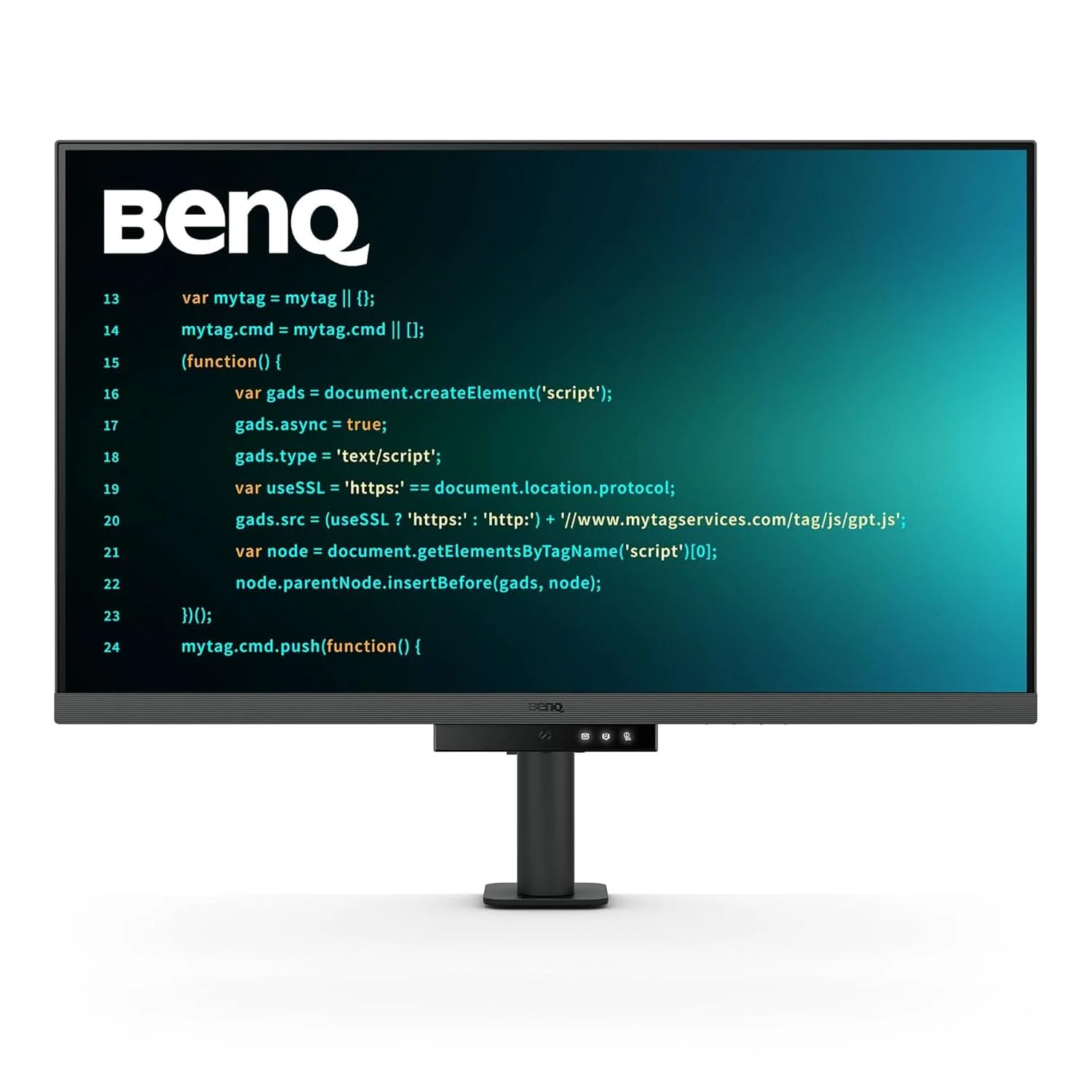
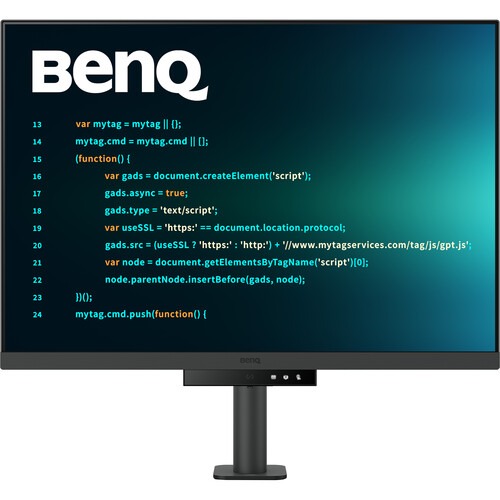
The Display Pilot 2 software eases your workflow by allowing you to assign specific viewing modes to different applications, add shortcuts, and more. You can connect your system through the HDMI and DisplayPort connectors. Or you can transfer data, video, and up to 95W of power with compatible laptops using a single USB-C cable. The USB-C port also allows you to use the integrated 3-port USB-A hub for peripherals. Adding a second RD280UA display using the USB-C daisy chain port can enhance your multitasking. The BenQ Ergo Arm clamps onto your desk and provides flexible screen positioning for increased comfort while the integrated light sensor automatically adjusts the screen's brightness to match your environment. Adjustable rear-facing MoonHalo ambient lighting can keep you focused or set the mood while watching movies.
This 3840 x 2560 resolution display offers more vertical viewing space than traditional 4K monitors, and its anti-glare finish helps you to stay comfortable in almost any environment. Its 28.2" IPS panel provides 1.07 million colors and HDR10, supporting a 1200:1 static contrast ratio with 400 nits peak brightness.
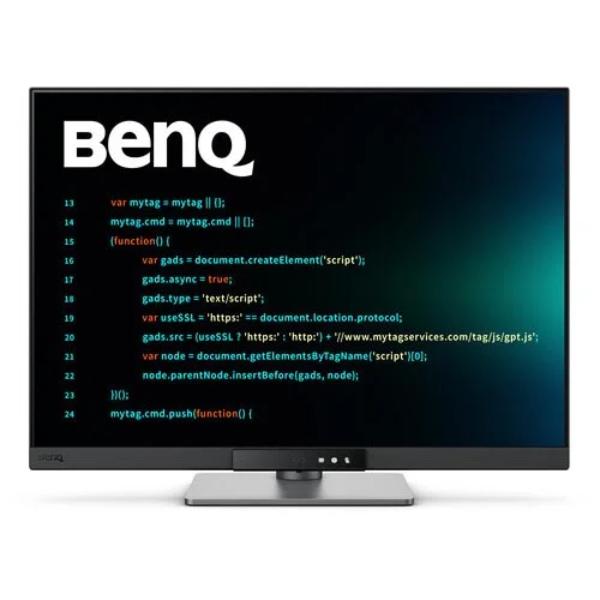
BenQ's advanced coding modes ensure crystal-clear fonts and improved code differentiation, reducing eye strain during prolonged use.
Offer both dark and light themes for adaptable coding environments. Swiftly adjust brightness, sharpness, and contrast for optimal coding conditions.
Boost productivity with the Coding HotKey and Function Bar. Located just below the screen, pressing the Coding HotKey button provides access to the monitor's settings.
Multi-Stream Transport Technology allows you to extend screens across multiple displays using the USB-C output. The 90W USB-C port carries images, videos, and other data seamlessly and charges your mobile devices at the same time all with one cable.
MoonHalo by BenQ is designed to deliver a blend of immersive illumination and comforting ambiance. With customizable color temperature, brightness, and light modes, along with Auto Dimming, MoonHalo ensures optimal eye protection and focus, whether you're working from home or the office.
Clamp the BenQ Ergo Arm stand to your desk and rotate the screen 90° for a portrait mode view. Then adjust the height, tilt, and 550° swivel to match your preferences. You can also use the 100 x 100mm VESA mounting pattern to attach the screen to a swivel stand or multi-monitor stand. With 178° vertical and horizontal viewing angles, you can see the screen clearly from almost any position.
Discover enhanced eye protection in dark with Night Hours Protection. Its intelligent ambient light detection and auto-switch capabilities require minimal user intervention, ensuring effortless and consistent eye care.
Boost Efficiency with Shortcuts
The Shortcuts feature allows you to easily bind commonly used functions to the hotkeys.
Application Mode makes it easy to assign different color modes and remembers your frequently-used settings for upcoming applications. Binding your IDE with RD series advanced coding modes for the state of flow!
Launch Desktop Partition and drag the application you're working with into partitions by using preset templates or by customizing your own layouts. You can work more efficiency without the hassles of dragging and resizing.
BenQ Low Blue Light Plus includes Circadian Mode, which automatically adjusts your screen's color temperature throughout the day, mirroring the natural sunrise to sunset cycle.
| Display | |
| Display Size | 28.2″ |
| Panel Type | IPS-Type LCD |
| Aspect Ratio | 03:02 |
| Native Resolution | 3840 x 2560 |
| Maximum Brightness | 400 nits / cd/m2 (Peak in HDR Mode) |
| 350 nits / cd/m2 (Sustained) | |
| HDR Support | Yes, HDR10 |
| Contrast Ratio | 1200:1 |
| Response Time | 5 ms |
| Refresh Rate | 60 Hz |
| Variable Refresh Technology | No |
| Color Support | 1.07 Billion Colors (10-Bit) |
| Color Gamut | 95% DCI-P3 |
| Viewing Angle (H x V) | 178 x 178° |
| Curved Display | No |
| Look-Up Table | No |
| Finish | Anti-Glare / Matte |
| Surface | |
| Touchscreen | No |
| Connectivity | |
| Inputs | 1x HDMI 2.0 |
| 1x DisplayPort 1.4 | |
| Outputs | 1x 1/8″ / 3.5 mm |
| HDCP Support | Yes, Version 2.2 |
| USB I/O | 2x USB-C 3.0 / 3.1/3.2 Gen 1 with USB PD 90 W (DisplayPort Alt Mode/Charging) |
| 3x USB-A 3.0 / 3.1/3.2 Gen 1 | |
| 1x USB-B 3.0 / 3.1/3.2 Gen 1 | |
| Multi-Input Support (PIP/PBP) | No |
| Speaker | |
| Built-In Speakers | Yes, 2x 2 W |
| Electrical | |
| Power Consumption | Typical: 34.0 W |
| Maximum: 205.0 W | |
| Standby: 0.5 W | |
| Input Power | 100 to 240 VAC, 50 / 60 Hz |
| Power Adapter Type | Internal |
| General | |
| Certifications | ENERGY STAR 8.0, EPEAT Bronze, TCO Certified 9.0 |
| Adjustments | Height: 5.1″ / 130 mm |
| Tilt: -5 to 20° | |
| Rotation: 90° | |
| Swivel: 550° (-275 to 275°) | |
| Swivel: 0° | |
| VESA Mounting-Hole Pattern | 100 x 100 mm |
| Lock Slot | No |
| Dimensions | 28.8 x 24 x 18.7″ / 732.2 x 610.4 x 476 mm (with Stand) |
| 24 x 16.8 x 3.4″ / 610.4 x 427.8 x 87.1 mm (without Stand) | |
| Weight | 25.1 lb / 11.4 kg (with Stand) |
| 16.5 lb / 7.5 kg (without Stand) | |
| Packaging Info | |
| Package Weight | 36.5 lb |
| Box Dimensions (LxWxH) | 30.5 x 20 x 11″ |
No reviews yet for this product.
No questions have been answered yet.
You might also love these hardware gear upgrades
Waking up the robots...
Fetching your gear.