

Waking up the robots...
Fetching your gear.

SKU: Deco PRO M
users viewing this item right now


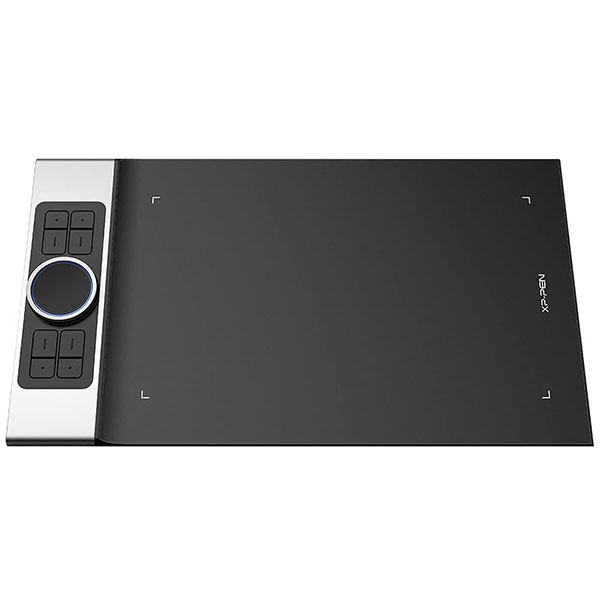
The Deco Pro, XP-Pen’s latest tablet release, makes its debut as the 2019 Red Dot Design Award Winner and the 2018 Good Design Award Winner! Prepare to be amazed and delighted by its innovative design and exceptional performance!

|

|

|
|---|---|---|
Improved for Unparalleled efficiencyThe groundbreaking double wheel design paired with trackpad functionality creates an improved experience for professional level creation. The new interface combines a mechanical and virtual wheel that makes it possible to perform multiple actions with one hand and helps eliminate distractions and interruptions from your workflow and creative process. With a unique two-wheel design, discover new creative worlds. Write, draw, create, and edit all while making sure the smoothest workflow possible and a complete focus on your creation. |
Supports ±60 Degrees of Tilt FunctionThe XP-Pen Deco Pro supports up to 60 degrees of tilt function, quickly and easily responding to the way your hand moves. Tilt function also delivers smoother and more natural transitions between lines and strokes while also giving you the ability to add shading to your creation. |
An Outstanding Drawing TabletThe XP-Pen Deco Pro is made with an aluminum casing and features a curved sheet tablet as slim as 7mm, making it both smooth to use and sleek in appearance. The roller wheel comes equipped with an indicator light and adjustable brightness level, letting you stay immersed in your creation even in dim light. |

|

|

|
|---|---|---|
Newest Technology Battery-free Stylus PA1With up to 8,192 levels of pressure sensitivity, the Deco Pro provides you precise control and accuracy. Create fine lines in an incredibly natural and fluid experience, all with our newest battery-free stylus. Deco Pro comes with a multi-function pen holder to keep your pen and pen nibs safe. You can use it as a pen stand or as a case to keep your pen secure anywhere you go. |
Compatible with Most Main SoftwareThe XP-Pen Deco Pro Series is compatible with Windows 7/8/10, Mac OS X 10.10 and above, and works with most major creative software including Photoshop, SAI, Painter, Illustrator, Clip Studio, and more. It’s also compatible with the XP-Pen Deco Draw Drawing App, supports connections with Android mobile devices 6.0 or above. |
Package Includes1x Deco Pro Medium Tablet 1x Battery-Free Stylus 1x Pen Holder 8x Replacement Pen Nibs 1x USB-C to USB Cable 1x USB to USB-C adapter 1x USB to micro USB adapter 1x Drawing Glove 1x Quick Guide |

When working with an Android device: It only supports work under the situation that your Android device and the Deco Pro tablet are both in vertical; not all Android devices are compatible, the following devices are known to be incompatible:
Nexus 6 /Google
Galaxy S6 /Samsung
Galaxy S7 edge /Samsung
Galaxy S7 /Samsung
Galaxy Tab S2 /Samsung
Galaxy S8 /Samsung
Galaxy Note 4 / Samsung USB micro-B
Galaxy Note 8 / Samsung USB Type-C
Galaxy Note 9 / Samsung USB Type-C
If you have any questions, please feel free to consult us.
No reviews yet for this product.
No questions have been answered yet.
You might also love these hardware gear upgrades

Waking up the robots...
Fetching your gear.