
Waking up the robots...
Fetching your gear.

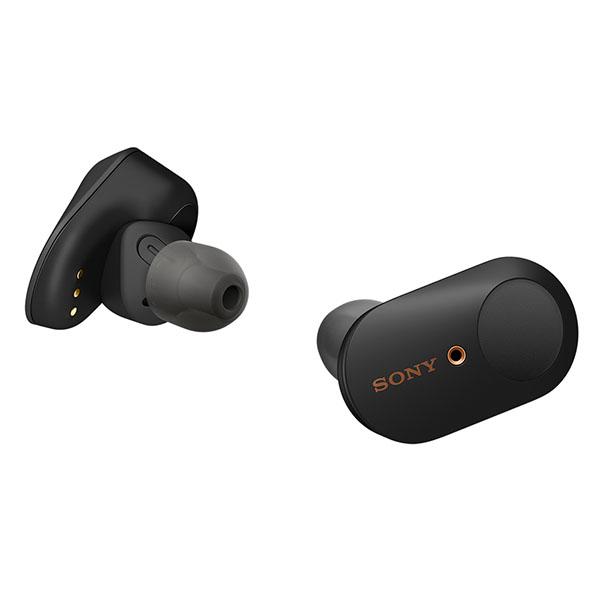
SKU: WF-1000XM3/B
users viewing this item right now

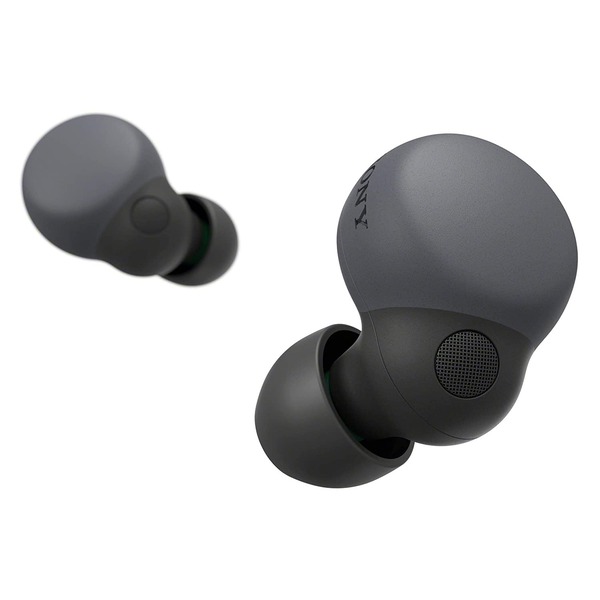
Sony WF-1000XM3/B has Industry-leading Noise Canceling Truly Wireless Earbuds with Alexa Voice Control

Sony WF-1000XM3/B has Industry-leading digital noise cancellation technology means you hear every word, note, and tune with incredible clarity, no matter your environment. Additional microphones also assist in isolating sound while talking on the phone, resulting in improved phone call quality.

Sony’s proprietary HD Noise Canceling Processor QN1e brings the WF-1000XM3 to the pinnacle of noise cancellation. With 24bit audio signal processing and best in class signal-to-noise ratio, the WF-1000XM3 headphones dramatically improve the sound quality of whatever you choose to listen to.

Sony WF-1000XM3/B has Enough power to last all day. Get up to 6 hours of battery life on a single charge, and the charging case supplies another three full charges, delivering up to 24 hours of battery life. Low on battery? 10 minutes of charge time gives you up to 90 minutes of playback.

Alexa-enabled for hands-free voice access to music, information, and more.

With Sony WF-1000XM3/B Change the track, activate your phone’s voice assistant, and take or make calls.

Turn the volume down and deactivate noise canceling for instant conversation.

When the headphones are removed from your ears and put back in.

Automatically switches to ambient sound mode based on your activity.

Smart Listening technology to control your ambient sound settings and adjust the sound levels.

Activate your smartphone’s voice assistant with a simple touch.

Sony WF-1000XM3/B has Switch to Ambient Sound mode with the Sony | Headphones Connect App.

With easy, hands-free calling. Leave your phone where it is: just speak with a tap.

Automatically turns on and off to save battery when not in use.
No reviews yet for this product.
No questions have been answered yet.
You might also love these hardware gear upgrades
Waking up the robots...
Fetching your gear.