Waking up the robots...
Fetching your gear.

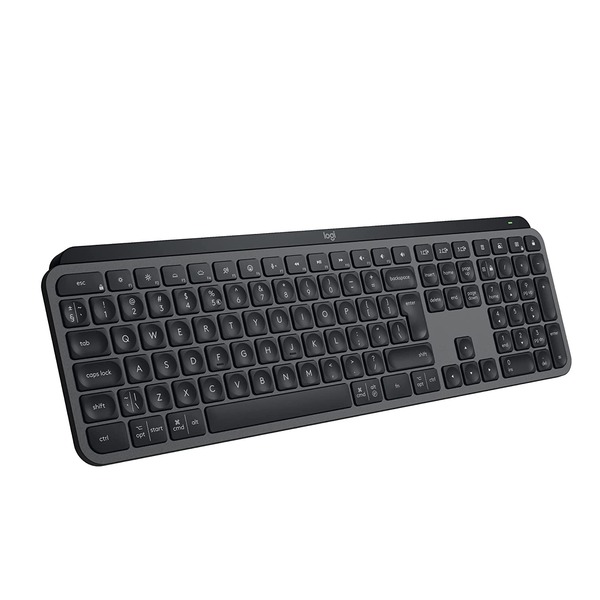

Type with confidence and speed with spherically-dished keys shaped for your fingertips, minimising the chances of a mistype, while increased key stability reduces noise.
Enhance your workflow with the black Logitech MX Keys S Wireless Keyboard. Featuring laptop-like spherically-dished keys, this wireless low-profile keyboard is designed to deliver fast, precise, and quiet typing experiences. Additionally, its Smart Illumination backlighting adapts to your environment and automatically turns on as your hands approach. Pair the MX Keys S with up to three Bluetooth devices in addition to using the included Logi Bolt USB-A adapter with your Windows or Mac computer. Then optimize your experience with the Logi Options+ software for Windows and macOS to add shortcuts, adjust the backlighting preferences, and smoothly transfer text and files between multiple computers. On a normal use basis, the MX Keys can last up to 10 days; however, with backlight off, it's rated to last up to 5 months. Please note that actual battery life will depend on usage.
Logitech MX Keys S, Smart Illumination enables this keyboard's backlight to automatically turn on once your hands are near. It can also automatically adjust brightness to fit your ambient lighting conditions.
The spherically-dished keys are shaped to your fingertips to deliver a fast, fluid, precise, and quiet typing experience.
Users can pair this keyboard with up to three devices via Bluetooth LE or its included Logi Bolt USB receiver.
The low-profile design and an optimum keyboard angle provide better wrist posture, allowing you to comfortably work for long periods of time.
The built-in battery is rated for up to 10 days of use or up to 5 months with backlighting off. When power is low, plug in the included USB-A to USB-C cable to your system to recharge it.
Logitech MX Keys S comes With Bluetooth LE connectivity, the MX Keys S Wireless Keyboard works with Windows, macOS, ChromeOS, iOS, iPadOS, and Linux driven computers, tablets, and mobile devices.
Streamline Your Workflow
Customize your keyboard to fit your needs by configuring Smart Action shortcuts to multiple actions with a single keystroke. Use the predefined settings or define your own for the apps you often use.
Use the Options+ Flow feature to transfer text, images, and files between computers by simply copying on one and pasting to the other. You can even use Flow between Windows and macOS computers.
Get full, always-on control of device status. Stay informed on low battery levels, get notifications if Caps Lock is on, and check which computers are paired with your keyboard.
No reviews yet for this product.
No questions have been answered yet.
You might also love these hardware gear upgrades
Waking up the robots...
Fetching your gear.