Waking up the robots...
Fetching your gear.

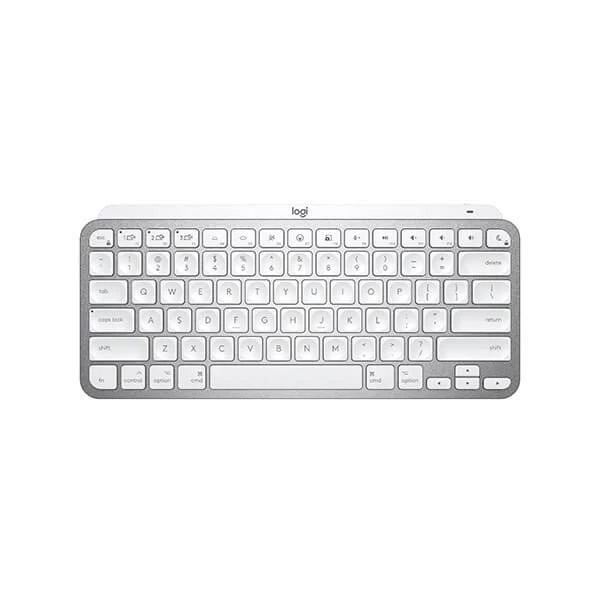

Meet Logitech MX Keys Mini for Mac – a minimalist keyboard made for Apple creators. A smaller form factor and smarter keys result in a mightier way to create, make, and do.
MX Keys Mini for Mac fits right into your Mac and iPad workflows – with a layout for Mac so you never miss a beat. You’ll get more functionality, a superior key design, and a robust build quality in a design that blends perfectly into your Apple ecosystem.
Work on a minimalist keyboard that places every key, command, and shortcut at your fingertips. The minimalist form factor aligns your shoulders and allows you to place your mouse closer to your keyboard for less hand reaching – for better posture and improved ergonomics.
Perfect Stroke keys ensure that every keystroke is fluid, natural, and accurate. The spherically-dished keys match the shape of your fingertips, and their round edges provide satisfying feedback — no matter where you strike the key. Matte coating has been applied to every key so your fingers glide effortlessly over the surface.
Every keystroke is fluid, natural, and accurate on MX Keys Mini. Increased key stability reduces noise and optimizes responsiveness so you feel – but don’t hear – every keystroke. And the entire body of MX Keys Mini is held together by a single metal plate – for a remarkably solid build that never slides around your desk.
MX Keys Mini for Mac follows your Flow-enabled MX Anywhere 3 for Mac or MX Master 3 for Mac from one Apple device to another, meaning you can type on multiple devices in one fluid workflow. Transfer files, documents, and images across devices and macOS and Windows® operating systems
Smarter Fn Keys1Requires Logitech Options software, available for Windows® and macOS at www.logitech.com/options now give you the power to send emojis, mute and unmute your mic, and activate talk to text.
The dictation feature is provided by Windows® and macOS and is currently only available in select languages and geographies.
Instantly opens your emoji window keys
Tap this key to mute and unmute your mic for flawless video calls
Proximity sensors detect your hands, illuminating the keyboard the moment your fingers approach. The backlit keys automatically adjust to lighting conditions and turn off when you step away — saving power for those moments of inspiration. Backlighting intensity automatically adapts to lighting conditions, or can be set manually.
MX Keys Mini stays powered up to 10 days on a full charge – or up to 5 months with backlighting turned off3Battery life may vary based on user and computing conditions. Use the USB-C charging cable to top up the power. Easily pair MX Keys Mini to up to three devices at a time via Bluetooth® Low Energy, no need to use up USB ports to connect.
MX Keys Mini follows your Flow-enabled MX Anywhere 3 or MX Master 3 from one computer to another, meaning you can type on multiple devices in one fluid workflow. Transfer files, documents, and images across devices and macOS and Windows® operating systems4
No reviews yet for this product.
No questions have been answered yet.
You might also love these hardware gear upgrades
Waking up the robots...
Fetching your gear.