Waking up the robots...
Fetching your gear.

SKU: M27Q-X
users viewing this item right now

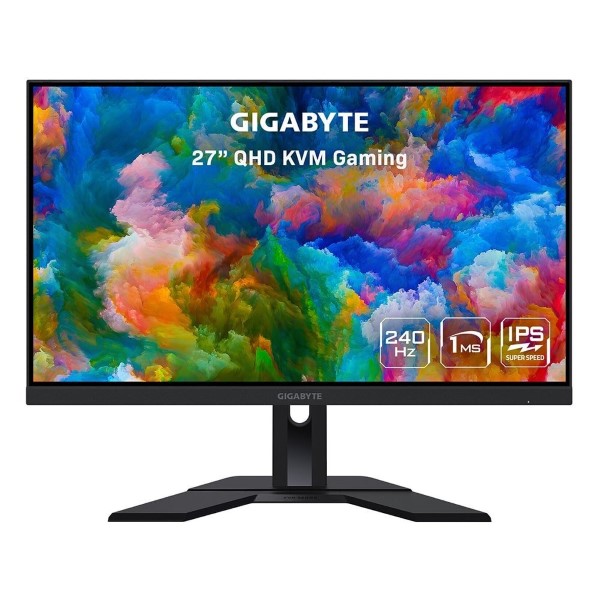
Meet the worlds first KVM enabled Gaming monitor from Gigabyte. This incredible 27-inch monitor features a Quad HD (2560×1440) SS-IPS panel, lightning fast 240Hz refresh rate, 1ms GTG response time and is jam-packed with Gigabyte exclusive display technologies to ensure you get the most from your monitor. KVM capability allows you to control multiple displays with a single mouse and keyboard, increasing overall productivity whilst decreasing desk-clutter. The M27QX features a simple, yet streamlined aesthetic with a height and tilt adjustable stand to ensure you can find your perfect position. Often forgotten is the humble monitor, if you’re looking for the perfect wingman, get into the action with Gigabyte.
27″Screen Size
2560 x 1440Resolution
SS-IPSPanel Type
240HzRefresh Rate


SUPERSPEED IPSThe SuperSpeed IPS technology reduces the response time to 1ms; meanwhile offering the IPS-grade splendid colour!

This incredible gaming monitor supports AMD FreeSync Premium technology, which intelligently works to eliminate choppy gameplay and broken frames to create a more fluid performance at any framerate. GIGABYTE gaming monitors offer the ultimate specifications and quality, users can truly enjoy upscale performance without the need for extravagance.


The OSD Sidekick allows you to set the display options with keyboard and mouse, giving you the easiest way to adjust settings.

The design philosophy of the GIGABYTE gaming series monitors deliver a streamline appearance which represents purely seamless innovation. The robust stand is built for functionality and the matte style is an aesthetically appealing look.
 LOW BLUE LIGHT Certified by TÜV Rheinland for eye health protection.
 FLICKER-FREE Works to reduce eye strain and fatigue.

The connectivity featured on this GIGABYTE monitor gives gamers a wealth of ports including Two USB 3.0, DisplayPort, Two HDMI, headphone audio port and is kensington-lock ready. Includes all the relevant accessories: DP cable, HDMI cable, power cable, USB cable and warranty card.
 HEIGHT 130mm
 TILT-5° ~ +20°
The GIGABYTE monitor features an exclusive stand that has been ergonomically designed to offer a range of height and tilt adjustments, so gamers can find the perfect angle to optimise your comfort.

QUICK LIKE A SNAP!The KVM feature allows you to control multiple devices via one set of keyboard, video and mouse. With GIGABYTE’s exclusive KVM button, you’ll find switching devices cannot be any easier!
 STEP 1Connect both of the keyboard and mouse to the monitor.
 STEP 2Then, connect your USB Type-C device to the monitor.
 STEP 3Done. Now you can switch devices by pressing the KVM button.
No reviews yet for this product.
No questions have been answered yet.
You might also love these hardware gear upgrades
Waking up the robots...
Fetching your gear.