Waking up the robots...
Fetching your gear.

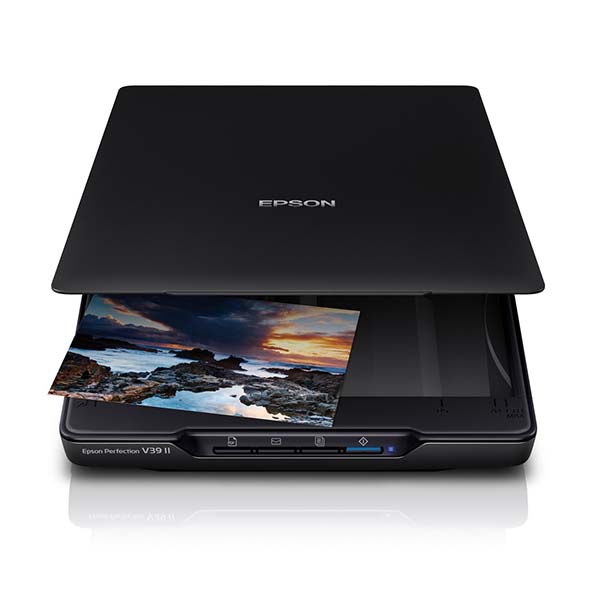
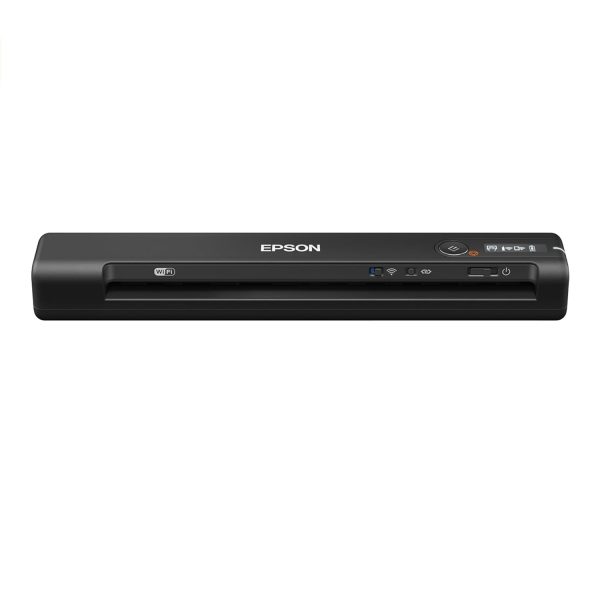
Reduce clutter and avoid the hassle of a complicated setup with the Epson V39II. Simply connect the scanner to your PC with a single USB cable to start scanning. For added convenience, you can power up the V39II with just your laptop’s USB port, enabling you to use the scanner anywhere, anytime.
The small and compact design of the V39II makes it easy to carry around. With a built-in kickstand, you can also use the scanner in an upright position at places where space is limited.
Easily scan, view, edit, save and transfer scanned documents. The software optically recognises barcodes, characters and blank pages in scanned documents to separate them into different folders. It allows you to create up to 30 customised job settings, making multiple scan jobs a breeze. The software also provides quick access to post-scan destinations, including scan-to-print, email, Windows® Public Folder, FTP, Web Folder, and Scan-to-Cloud services such as Microsoft® SharePoint Server, Evernote®, Google® Drive™ and SugarSync®. * Document Capture Pro (Windows), Document Capture (Mac OS X) Zero Warm-up Time, Eco-friendly Feature With Epson’s ReadyScan LED Technology, the V39II starts scanning instantly with no warm-up time required. Featuring a mercury-free LED light source, this eco-friendly scanner is low in heat dissipation and power consumption, giving you energy and cost savings.
The V39's power and connectivity is handled via a single Micro USB to reduce cable clutter and keep your workspace tidy. The device also has a built-in stand for flexible scanning to suit your desk space.
Thanks to Epson's ReadyScan LED Technology, you can start scanning instantly - no warm-up time is required. Make sure that even your old photos look their best with Epson Easy Photo Fix software, which improves the quality of your scans by removing dust, restoring faded colours and correcting backlight. Even your scanned documents will look great as the V39 comes with a range of enhancement features, enabling you to improve text sharpness and remove unwanted 'bleed-through' from double-sided documents.
To make scanning quick and easy, the V39 has four one-touch buttons so you can scan, copy, share and turn your photos and documents into multi-page searchable PDFs1 at the push of a button. For added versatility, a fully-detachable lid makes scanning of thick books, photo albums and other bound items possible. Scan directly to cloud storage services such as SugarSync and Evernote and easily share your photos with family
No reviews yet for this product.
No questions have been answered yet.
You might also love these hardware gear upgrades
Waking up the robots...
Fetching your gear.