




Waking up the robots...
Fetching your gear.

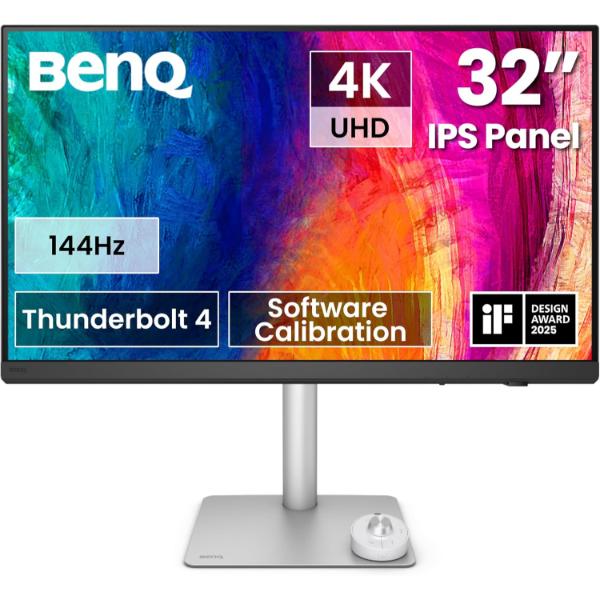
SKU: PD3226G
users viewing this item right now
High Refresh Precision to Make Inspirations Come Alive
The 144Hz refresh rate enhances motion clarity, delivering ultra-smooth, accurate visuals essential for game designers. Optimized for game development, animation, and high-demand workflows.
Compatible with high-refresh-rate drawing tablets and iPads, it delivers lifelike visual fidelity ideal for game and animation professionals like character designers, concept artists, animators, and VFX artists, who rely on precise, real-time accuracy for immersive creation and dynamic scenes.
BenQ AQCOLOR ensures 'Accurate Reproduction,' delivering out-of-the-box color precision with Delta E ≤ 2, 95% P3 wide color coverage, corner-to-corner uniformity, and a factory calibration report. All features are rigorously tested for consistency, providing designers with unparalleled precision and total color confidence.
Delivers long-term color accuracy and intuitive color management across displays, providing a reliable foundation for creators to craft authentic designs and refine every detail.
Offers effortless calibration with no experience needed. Follow visual menus and clear prompts for software calibration that meets international standards.
*Calibrator Supported: X-rite i1Display Pro, X-rite i1Display Pro Plus, Datacolor Spyder X, Datacolor Spyder X2 (Pro/ Elite/ Ultra).
Download Display ColorTalk for intuitive color matching—no extra tools needed!
The BenQ Nano Matte Panel diffuses ambient light, making it ideal for color-managed workflows. Its TÜV certified reflection-free feature enhances eye comfort during extended design sessions.
Featuring Pantone and Pantone SkinTone validation, appealing to professionals who need a display that achieves the utmost authenticity when showing real-world colors.
Every BenQ DesignVue designer monitor is fully CalMan Verified. Creative professionals demand excellence, and BenQ delivers.
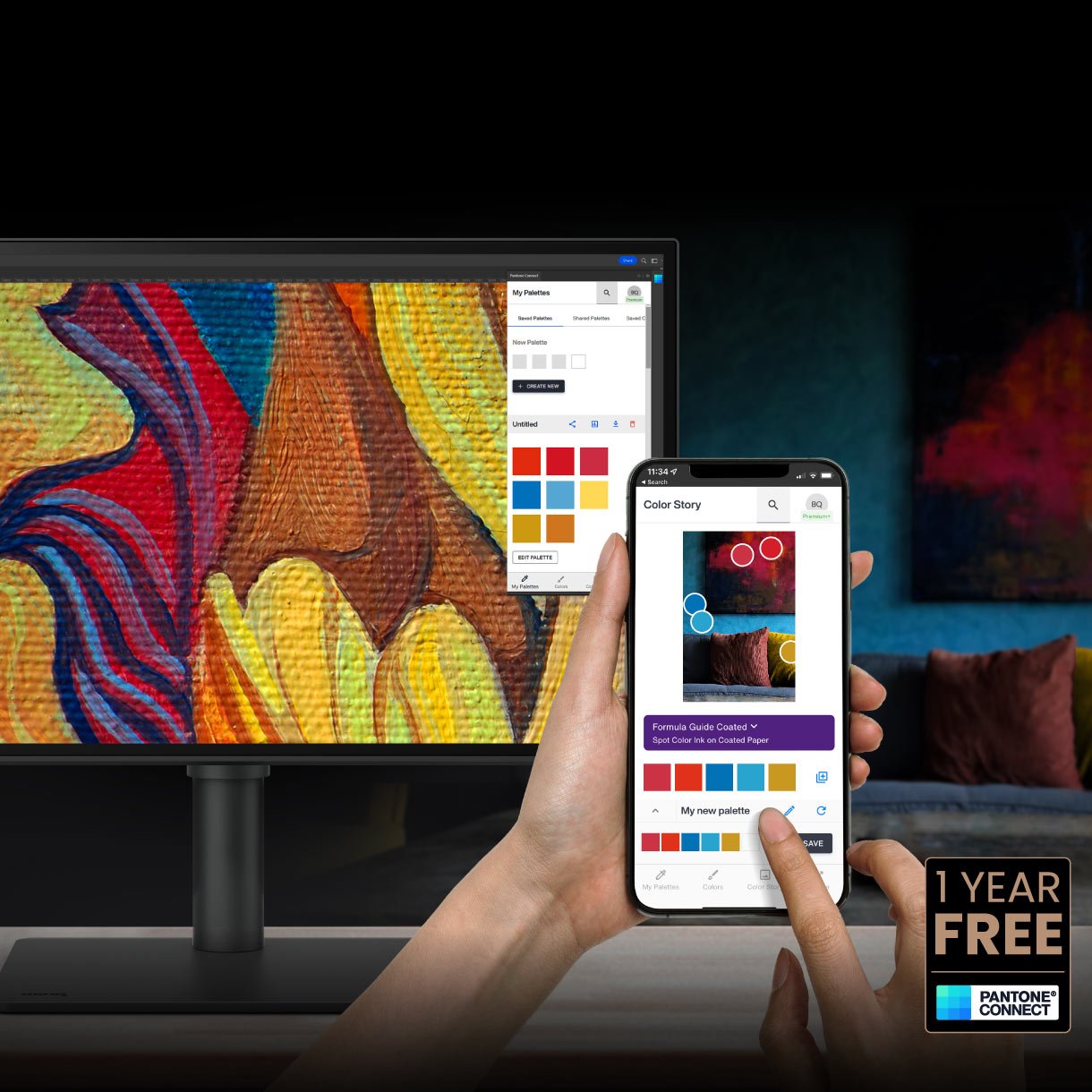
Go digital with BenQ, the first brand to work with Pantone on a mobile app. As an existing owner or a new purchaser of BenQ professional monitors, you get one year of free Pantone Connect Premium for digitally mobile color consistency and accuracy.
Thunderbolt 4 seamlessly carries images, videos, and data while delivering up to 90W of power through a single cable. It supports ultra-fast 40Gbps data transfer and connects up to two 4K monitors or one 8K monitor. Thunderbolt 4 is fully compatible with USB-C.
The Daisy chain extends your workspace to dual 4K 144Hz monitors, thanks to high-speed transfer.
*Since Apple Silicon M1 and M2 chips do not support multiple monitors natively, Daisy Chain cannot be applied on M1 and M2-based devices. Daisy Chain can be applied on Apple Silicon Pro, Max, and Ultra-based devices.
With built-in KVM (keyboard, video, mouse) switch functionality, the monitors allow users to control two systems from one keyboard and mouse set. Click to switch between to boost efficiency.
Display Pilot 2 customizable interface allows you to organize functions such as ICCsync, Color Modes, and Desktop Partition, enhancing convenience and flexibility in your design tasks.
BenQ Hotkey Puck simplifies monitor control with Display Pilot 2 sync, allowing you to directly configure shortcut functions. It offers three customizable keys for quick access to Color Mode, Input, DualView, KVM, or app launch. The rotation dial provides precise control over brightness, contrast, and volume—no menus needed. Ideal for creatives, it helps you stay focused without interruptions.
ICCsync automatically matches and syncs ICC profiles between your Mac and BenQ monitor when switching color modes
Exclusive M-book mode ensures a perfect match with Mac® and MacBook® Pro colors. Mac® and MacBook® are trademarks of Apple Inc
Effortlessly adjust display brightness using your Mac® keyboard. Only applicable to Mac devices using Display Pilot 2 software.
Position your monitor for optimal comfort. With a variety of tilt, swivel, and pivot control points, whether you’re working on design or presenting your ideas to clients, there’s always the right spot and the right angle to do it.
| Specification | Details |
|---|---|
| Screen Size | 31.5 inches |
| Panel Type | IPS |
| Resolution | 3840 × 2160 (4K UHD) |
| Aspect Ratio | 16:9 |
| Brightness | 400 nits |
| Response Time | 1ms GtG |
| Refresh Rate | 144Hz |
| Contrast Ratio | 1200:1 |
| Color Gamut | 95% P3, 100% sRGB, 100% Rec.709 |
| Display Colors | 1.07 Billion Colors |
| PPI | 140 |
| HDR | HDR10, VESA DisplayHDR 400 |
| Display Coating | Nano Matte |
| Color Accuracy | Delta E ≤2 |
| Thunderbolt 4 | 90W Power Delivery, DisplayPort Alt Mode & Data |
| Thunderbolt 4 Out | 15W Power Delivery |
| Daisy Chain | Thunderbolt |
| KVM Switch | Yes |
| DualView | Yes |
| PIP/PBP | Yes |
| Adaptive Sync | VESA Standard Adaptive-Sync |
| FreeSync Premium | Yes |
| Professional Modes | CAD/CAM, Animation, Darkroom |
| Certifications | Calman Verified, Pantone Validated, Pantone SkinTone™ Validated, SolidWorks |
| Uniformity Technology | Yes |
| Auto Pivot | Yes |
| Built-in Speakers | 3W × 2 |
| Stand Adjustment | 150mm Height Adjustment, Tilt, Swivel, 90° Pivot |
| Connectivity | HDMI 2.1, DisplayPort 1.4, Thunderbolt 4, USB-C, USB-A |
| Hotkey Puck | Hotkey Puck G3 Included |
| VESA Mount | 100 × 100mm |
| Software Support | Display Pilot 2, Palette Master Ultimate, Display ColorTalk, Display Quickit |
No reviews yet for this product.
No questions have been answered yet.
You might also love these hardware gear upgrades
Waking up the robots...
Fetching your gear.